


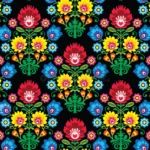
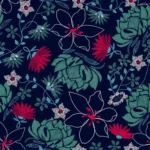
 All over Jall
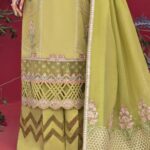 Body Damn
 Bridal
 bunch and boties
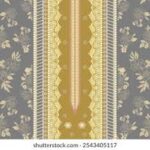 Center Panil
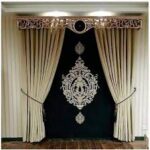 Curtains
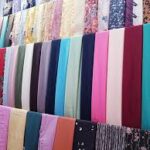 dupatta and shwal
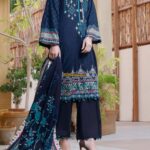 Galla Damn
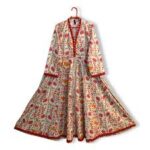 Kali Frock
 Kurtis
 Open Front
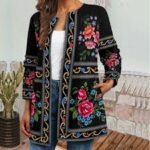 Upper Coat
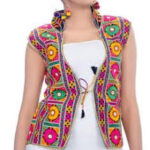 Women Kotis/Waistcoats
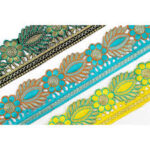

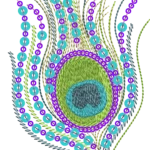

 Adventure
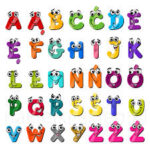 Alphabets
 ANIMALS
 Brands
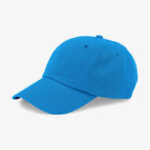 Cap
Cap Cartoons
 Children
 Currency
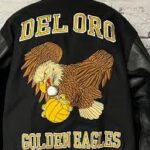 jacket back
 Logos
Logos Sports
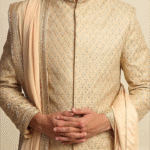 Sherwani
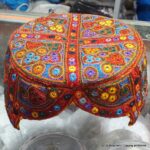 Local Topi
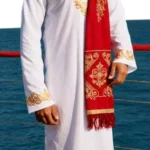 Kurta
Kurta
 Christianity
 Islam
Islam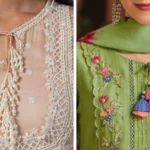
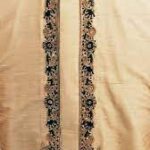 Gents
Gents Ladies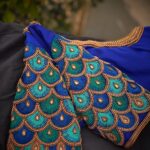
Frequently Asked Questions
How to register
When you open the website, you will see the Login/Register option on the top right side.
If you don’t have an account yet, you need to register first.
After registering, you can login.
You must register an account to buy products and download them
How to Buy Machine Embroidery Designs on our Website
-
First, login to your account.
-
Go to the shop. You can buy any design or choose from categories.
-
Add your chosen design to the cart.
-
Click Proceed to Checkout.
-
Fill in your billing details.
-
Select a payment method – Bank Transfer, JazzCash, or Easypaisa.
-
Check the Terms and Conditions box.
-
Click Place Order.
-
Make the payment and send a picture of the payment on WhatsApp.
-
After this, we will give you permission to download the design.
How to UNZIP files on my computers?
How to Open Zip Files on PC?
To unzip all the contents of the zipped folder, press and hold (or right-click) the folder, select Extract All, and then follow the instructions.
How to Open Zip Files on Mac OS?
Unzipping a file on a mac computer is user-friendly and intuitive. To unzip files on a mac, simply follow the steps below:
1. Double click the zipped file.
2. The file will automatically be decompressed by Archive Utility into the same folder the compressed file is in.
3. Access the extracted files by clicking the appropriate icons.
Alternatively, if the method above does not work, you can right-click on the .zip package, and select Open With > Archive Utility (default).
How to find other article of same design
If you want different articles of the same design, you can use the search bar.
Just type the design name, and if we have related articles, they will appear too, such as trousers, neck pieces, shawls, sleeves, laces, etc.
Make sure to enter the design name exactly when searching.
For example: ED-adv004.
payment method - how to pay
-
Login to Your Account
-
First, log in to your account.
-
-
Choose Your Products / Designs
-
Add the products or designs you want to buy to your cart.
-
-
Go to Checkout
-
After adding items, click Proceed to Checkout.
-
-
Fill Billing Details
-
Enter your name, address, and other billing information.
-
-
Select Payment Method
-
Available methods:
-
Bank Transfer
-
JazzCash
-
Easypaisa
-
-
-
Agree to Terms & Conditions
-
Check the box to agree to the Terms & Conditions.
-
-
Place Your Order
-
Click Place Order.
-
-
Make Payment
-
Pay using your selected payment method.
-
Send a payment receipt or picture via WhatsApp.
-
-
Download Your Product / Design
-
After payment confirmation, you will get permission to download your design or product.
-
How to download design
After you buy a design and complete the payment, once we verify your payment,
you can go to your account section, click on the Download option, and download your design.
Refund Policy
Refund Policy – No Return
-
No Refunds
-
All sales are final. Once a purchase is made, we do not offer refunds for any product or design.
-
-
No Returns
-
Purchased products or designs cannot be returned under any circumstances.
-
-
Payment Confirmation
-
Make sure your payment is completed and verified before placing an order.
-
-
Customer Support
-
For any issues with your purchase, you can contact customer support, but refunds will not be provided.
-
-
Download After Verification
-
After payment verification, you will get access to download your design.
-
Note: By purchasing, you agree to the no refund and no return policy.
If design doesn't open
If Design Doesn’t Open
-
Check the File Format
-
Most of our designs are in DST format. Make sure your software supports this format.
-
-
File Corruption
-
If the file is corrupt or doesn’t open for any reason, don’t worry.
-
-
Contact Us
-
You can email us with the issue. Include your order details and the design name.
-
-
We Will Help
-
After receiving your email, we will provide a solution or replace the design if needed.
-
Other Formats Except DST
Other Formats Except DST
-
DST Format is Standard
-
Most of our designs are in DST format, which is widely used by embroidery machines.
-
-
Alternative Formats
-
If you need a design in a different format (e.g., PES, EXP, JEF, VIP, VP3), you can request it from us.
-
-
Request During Order
-
While placing your order, there is an option to mention the format you want.
-
Use the “Additional Information” or “Order Notes (optional)” field to specify the required format.
-
-
Request After Order
-
You can also email us later with your order details, design name, and desired format.
-
-
Processing Time
-
Converting to other formats may take some time. We will notify you once the design is ready in the requested format.
-
-
No Extra Cost (Optional)
-
Depending on the policy, some formats may be provided without extra charge. Confirm with us before requesting.
-
اکاؤنٹ کیسے رجسٹر کریں
جب آپ ویب سائٹ کھولیں گے، تو آپ کو اوپر دائیں جانب Login/Register کا آپشن نظر آئے گا۔
اگر آپ کے پاس ابھی اکاؤنٹ نہیں ہے، تو پہلے آپ کو رجسٹر کرنا ہوگا۔
رجسٹر کرنے کے بعد، آپ لاگ ان کر سکتے ہیں۔
آپ کو پروڈکٹس خریدنے اور ڈاؤن لوڈ کرنے کے لیے اکاؤنٹ رجسٹر کرنا لازمی ہے۔
ہماری ویب سائٹ سے مشین ایمبرائیڈری ڈیزائن کیسے خریدیں
اپنے کمپیوٹر پر فائلز کو ان زِپ کیسے کریں؟
پی سی پر زپ فائلز کیسے کھولیں؟
زپ شدہ فولڈر کے تمام مواد کو ان زپ کرنے کے لیے فولڈر پر دبائیں اور پکڑیں (یا رائٹ کلک کریں)، پھر Extract All منتخب کریں اور ہدایات پر عمل کریں۔
میک او ایس پر زپ فائلز کیسے کھولیں؟
میک کمپیوٹر پر فائل ان زپ کرنا صارف دوست اور آسان ہے۔ زپ فائلز ان زپ کرنے کے لیے درج ذیل مراحل پر عمل کریں:
- زپ فائل پر ڈبل کلک کریں۔
- فائل خود بخود Archive Utility کے ذریعے اس فولڈر میں decompress ہو جائے گی جہاں زپ فائل موجود ہے۔
- نکالی گئی فائلز تک رسائی حاصل کرنے کے لیے مناسب آئیکنز پر کلک کریں۔
متبادل طریقہ:
اگر اوپر والا طریقہ کام نہ کرے تو زپ فائل پر رائٹ کلک کریں اور پھر Open With > Archive Utility (default) منتخب کریں۔
ایک ہی ڈیزائن کے دوسرے آرٹیکل کیسے تلاش کریں
ادائیگی کا طریقہ – کیسے ادائیگی کریں
سب سے پہلے اپنے اکاؤنٹ میں لاگ ان کریں۔
اپنے پروڈکٹس / ڈیزائن منتخب کریں
جو پروڈکٹس یا ڈیزائن آپ خریدنا چاہتے ہیں، انہیں اپنے کارٹ میں شامل کریں۔
چیک آؤٹ پر جائیں
آئٹمز شامل کرنے کے بعد Proceed to Checkout پر کلک کریں۔
بلنگ کی تفصیلات بھریں
اپنا نام، پتہ اور دیگر بلنگ کی معلومات درج کریں۔
ادائیگی کا طریقہ منتخب کریں
دستیاب طریقے:
-
بینک ٹرانسفر
-
JazzCash
-
Easypaisa
Terms & Conditions سے اتفاق کریں
Terms & Conditions والا باکس چیک کریں۔
اپنا آرڈر پلیس کریں
Place Order پر کلک کریں۔
ادائیگی کریں
منتخب شدہ طریقے سے ادائیگی کریں۔
ادائیگی کی رسید یا تصویر WhatsApp پر بھیجیں۔
اپنا پروڈکٹ / ڈیزائن ڈاؤن لوڈ کریں
ادائیگی کی تصدیق کے بعد، آپ کو اپنا ڈیزائن یا پروڈکٹ ڈاؤن لوڈ کرنے کی اجازت مل جائے گی۔
ڈیزائن کیسے ڈاؤن لوڈ کریں
جب آپ کوئی ڈیزائن خرید لیں اور ادائیگی مکمل کر دیں، اور ہم آپ کی ادائیگی ویریفائی کر لیں،
تو آپ اپنے اکاؤنٹ سیکشن میں جا کر Download کے آپشن پر کلک کر کے اپنا ڈیزائن ڈاؤن لوڈ کر سکتے ہیں۔
رقم کی واپسی کی پالیسی
رقم کی واپسی کی پالیسی – کوئی واپسی نہیں
کوئی رقم واپس نہیں کی جائے گی
تمام فروخت حتمی ہیں۔ ایک بار خریداری کرنے کے بعد، ہم کسی بھی پروڈکٹ یا ڈیزائن کے لیے رقم واپس نہیں کرتے۔
کوئی واپسی نہیں
خریدی گئی پروڈکٹس یا ڈیزائن کسی بھی صورت میں واپس نہیں کیے جا سکتے۔
ادائیگی کی تصدیق
آرڈر دینے سے پہلے یقینی بنائیں کہ آپ کی ادائیگی مکمل اور تصدیق شدہ ہو۔
کسٹمر سپورٹ
اپنی خریداری سے متعلق کسی بھی مسئلے کی صورت میں آپ کسٹمر سپورٹ سے رابطہ کر سکتے ہیں، لیکن رقم واپس نہیں کی جائے گی۔
تصدیق کے بعد ڈاؤن لوڈ
ادائیگی کی تصدیق کے بعد، آپ کو اپنا ڈیزائن ڈاؤن لوڈ کرنے کی اجازت مل جائے گی۔
نوٹ: خریداری کے ذریعے، آپ رقم کی واپسی اور واپسی نہ ہونے کی پالیسی سے اتفاق کرتے ہیں۔
اگر ڈیزائن نہیں کھل رہا
اگر ڈیزائن نہیں کھل رہا
فائل فارمیٹ چیک کریں
ہمارے زیادہ تر ڈیزائن DST فارمیٹ میں ہوتے ہیں۔ یقینی بنائیں کہ آپ کا سافٹ ویئر اس فارمیٹ کو سپورٹ کرتا ہو۔
فائل کرپٹ ہونا
اگر فائل خراب ہو گئی ہے یا کسی وجہ سے نہیں کھل رہی، تو فکر نہ کریں۔
ہم سے رابطہ کریں
آپ ہمیں اس مسئلے کے بارے میں ای میل کر سکتے ہیں۔ اپنی آرڈر کی تفصیلات اور ڈیزائن کا نام شامل کریں۔
ہم مدد کریں گے
ای میل موصول ہونے کے بعد، ہم آپ کو حل فراہم کریں گے یا ضرورت پڑنے پر ڈیزائن کو تبدیل کر دیں گے۔
کے علاوہ دیگر فارمیٹس DST
DST کے علاوہ دیگر فارمیٹس
DST فارمیٹ معیاری ہے
ہمارے زیادہ تر ڈیزائن DST فارمیٹ میں ہوتے ہیں، جو ایمبرائیڈری مشینوں میں وسیع پیمانے پر استعمال ہوتا ہے۔
متبادل فارمیٹس
اگر آپ کو کسی ڈیزائن کی ضرورت کسی دوسرے فارمیٹ میں ہو (مثلاً PES, EXP, JEF, VIP, VP3)، تو آپ ہم سے درخواست کر سکتے ہیں۔
آرڈر کے دوران درخواست
آرڈر دیتے وقت، آپ کے پاس فارمیٹ بتانے کا آپشن ہوتا ہے۔
ضروری فارمیٹ بتانے کے لیے “Additional Information” یا “Order Notes (optional)” والا فیلڈ استعمال کریں۔
آرڈر کے بعد درخواست
آپ بعد میں بھی ہمیں ای میل کر سکتے ہیں، جس میں آپ کی آرڈر کی تفصیلات، ڈیزائن کا نام، اور مطلوبہ فارمیٹ شامل ہوں۔
پروسسنگ کا وقت
ڈیزائن کو دیگر فارمیٹس میں تبدیل کرنے میں کچھ وقت لگ سکتا ہے۔ ہم آپ کو اطلاع دیں گے جب ڈیزائن مطلوبہ فارمیٹ میں تیار ہو جائے۔
کوئی اضافی چارج نہیں (اختیاری)
پالیسی کے مطابق، کچھ فارمیٹس بغیر اضافی چارج فراہم کیے جا سکتے ہیں۔ درخواست دینے سے پہلے ہمارے ساتھ تصدیق کریں۔

